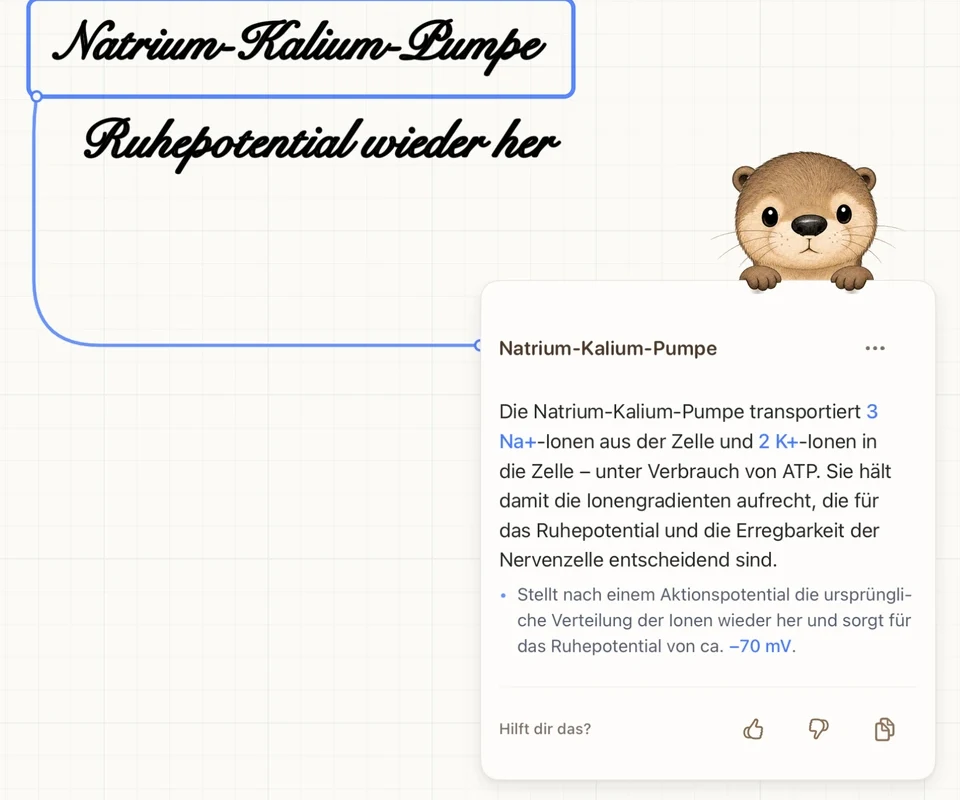
EXPLANATION ON THE PAGE
The answer stays where the question was.
You circle, and the card is attached to the spot with a line. When you review, question and explanation are together.
Circle & understand →COMPARISON · AS OF 10 OCTOBER 2026
Otriva fits when explanation cards and quizzes should stay right in your notes. Goodnotes or Notability fit better for audio recording; Goodnotes is the closer fit for writing on Android and Windows. Apple Notes is pre-installed.
Download freeBased on each maker’s own descriptions. Features and prices change – check the current details before you switch.
| Feature | Goodnotes | Notability | Apple Notes | Otriva |
|---|---|---|---|---|
| Handwriting and PDFs | Yes | Yes | Yes | Yes |
| Ask AI about a passage | Select with the lasso, answer in a sidebar | Chat with your notes (Pro) | Not stated | Circle the passage, answer as a card connected to it |
| Study from your notes | Study sets plus Q&A and quiz generator | Quizzes and flashcards from one note (Plus/Pro) | Not stated | Cover answers right in your notes (“Quiz me”, no AI allowance used) |
| Understand German in your language | Translate via “Ask Goodnotes” | Not stated | Not stated | Word card with article, simple German and sentence starters |
| Record lectures | Audio synced to your writing, with transcript | Audio synced to your writing, with transcript | Audio with transcript, depending on device and language | No |
| Devices | iPad, iPhone, Mac, Android, Windows, web | iPad, iPhone, Mac, web | Apple devices | iPad to write, iPhone to read and study |
| Free | Up to 3 notebooks; Q&A and quiz generator 5 times a month each | Usable with limits; Learn only in Plus/Pro | Pre-installed | Writing, organizing, PDFs and “Quiz me” without a subscription; 5 AI answers a month |
As of 10 October 2026. Sources: Goodnotes App Store · Goodnotes plans · Goodnotes AI · Ask Goodnotes · Goodnotes platforms · Notability App Store · Notability Learn · Apple Notes: audio · Apple Notes: math · Apple Notes: handwriting & PDFs
EXPLANATION ON THE PAGE
You circle, and the card is attached to the spot with a line. When you review, question and explanation are together.
Circle & understand →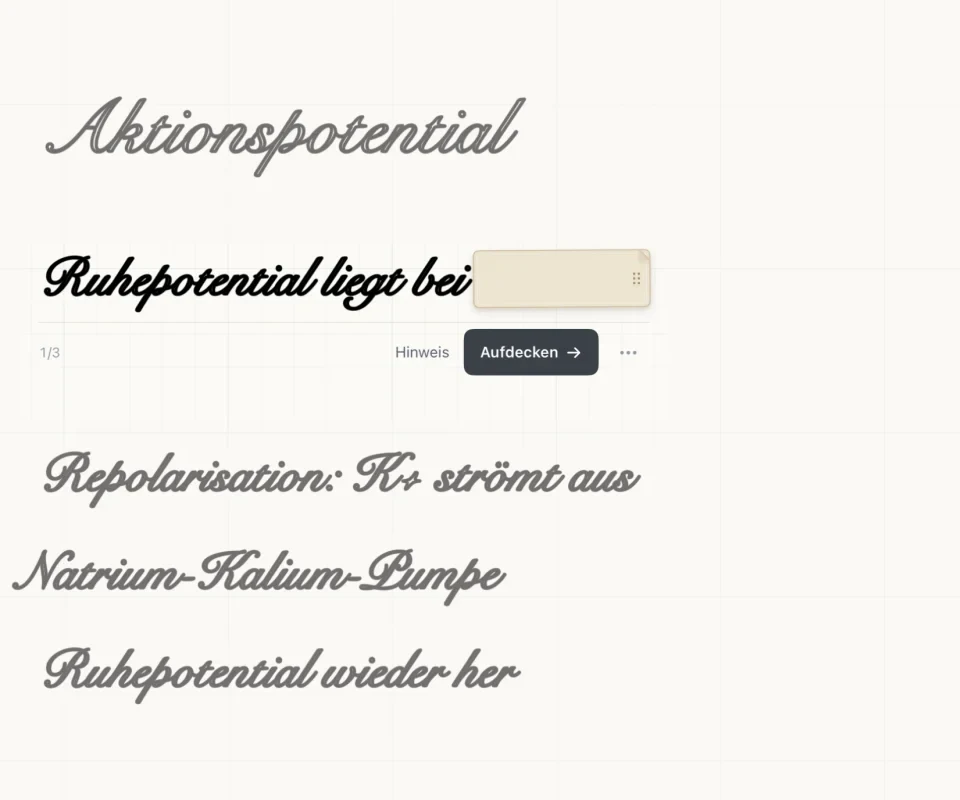
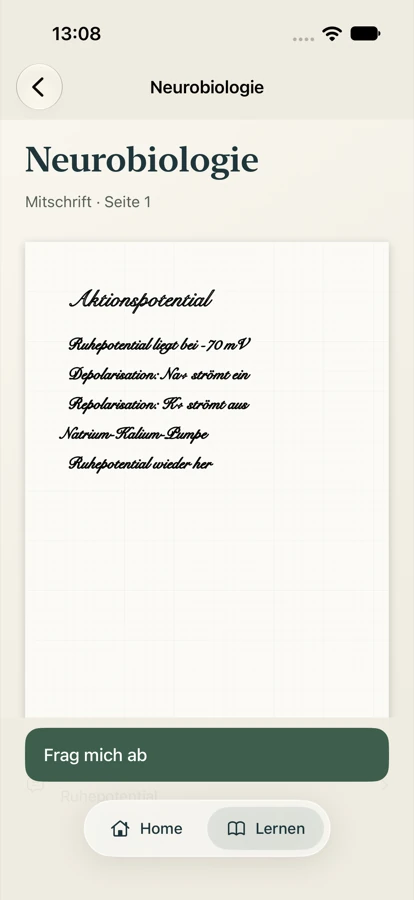
QUIZZES IN YOUR NOTEBOOK
No new flashcards: Otriva covers answers right in your notes, and the context stays visible.
Quiz me & iPhone →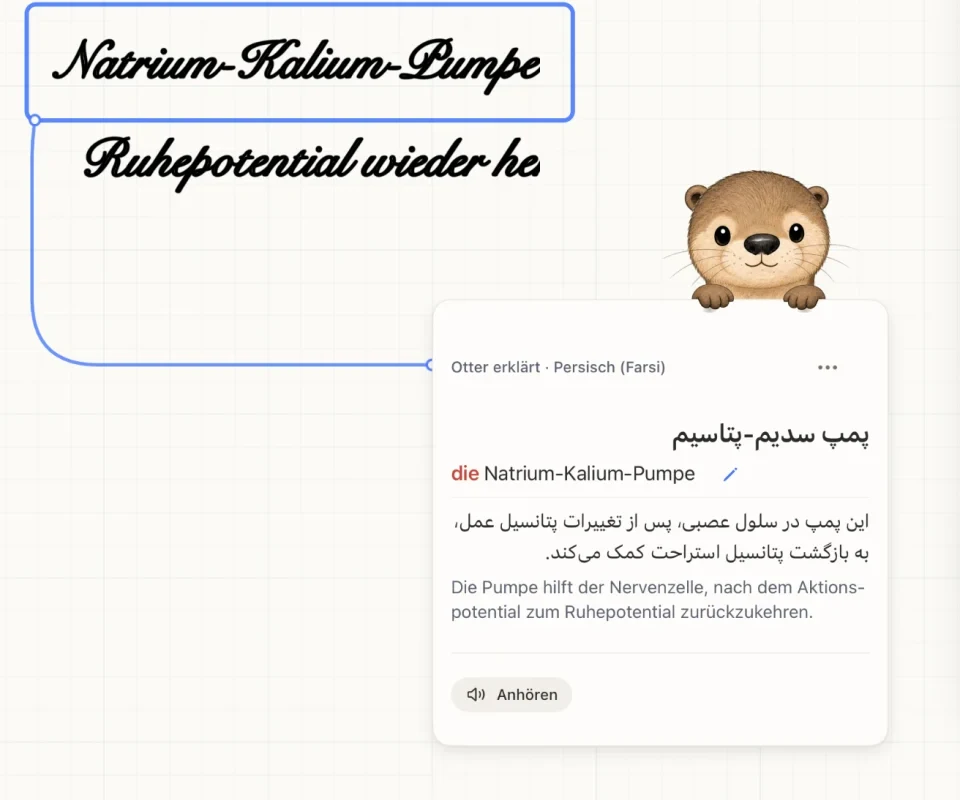
GERMAN AS A SECOND LANGUAGE
Article, simple German and sentence starters instead of a bare translation – without giving away the solution.
Understand in your language →Goodnotes and Notability link audio to your writing. Otriva doesn’t record audio.
Goodnotes is available there. Otriva is made for iPad, with iPhone as a companion; Notability lists iPad, iPhone, Mac and web.
Notability offers Classic as a one-time purchase. According to the maker, the AI study feature Learn is only part of Plus and Pro.
Otriva brings over the visible page content as a PDF. Layers, text boxes and other editable objects from the previous app do not come across.
Apple Notes is already installed and solves handwritten equations.
Yes. With “Ask Goodnotes” you ask about a selected passage and the answer appears in a sidebar; there are also study sets and a quiz generator. Otriva focuses on the card right at the spot and on quizzing in your own notes.
Yes, as PDFs: export your notes there as PDFs and share them with Otriva. The pages come across, not the editable objects. Try larger collections with a copy first.
Yes. On an iPhone or iPad set to English, the app interface is in English. Language support explains German passages in English and other help languages.
We only list what the maker describes itself. If nothing is stated about a feature, we say so instead of guessing.